
Last updated: October 2026 · By Jena Bruis, IPTVSup content team
You can watch IPTV on any Amazon Fire TV Stick by installing an IPTV player app and logging in with the details from your IPTV subscription. The whole setup takes about 10 minutes. This guide walks through every step with screenshots, using IPTV Smarters Pro, the most popular free player, and shows the alternative if you prefer TiviMate.
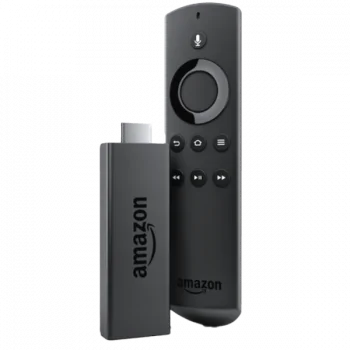
You need:
Note: Amazon’s newer Vega OS devices, such as the Fire TV Stick 4K Select, don’t allow installing apps from outside the Amazon Appstore, so the method below won’t work on them. All other Fire TV Stick models are fine.
| IPTV Smarters Pro | TiviMate | |
|---|---|---|
| Price | Free | Free, with a paid Premium upgrade |
| Best for | Beginners: clear menus for live TV, movies and series | TV-guide fans who want a cable-style layout |
| Login types | Xtream Codes or M3U | Xtream Codes or M3U |
| Recording | No | Yes (Premium) |
Both work well. This guide uses IPTV Smarters Pro; for TiviMate, follow our TiviMate setup guide after Step 2. Still undecided? Read TiviMate vs IPTV Smarters Pro.
IPTV players aren’t in the Amazon Appstore, so you install them with Downloader, a free app that is.


Don’t see Developer Options? On newer Fire TV software it’s hidden. Go to My Fire TV → About, select your device name 7 times until you see “You are now a developer”, then go back. Developer Options now appears.
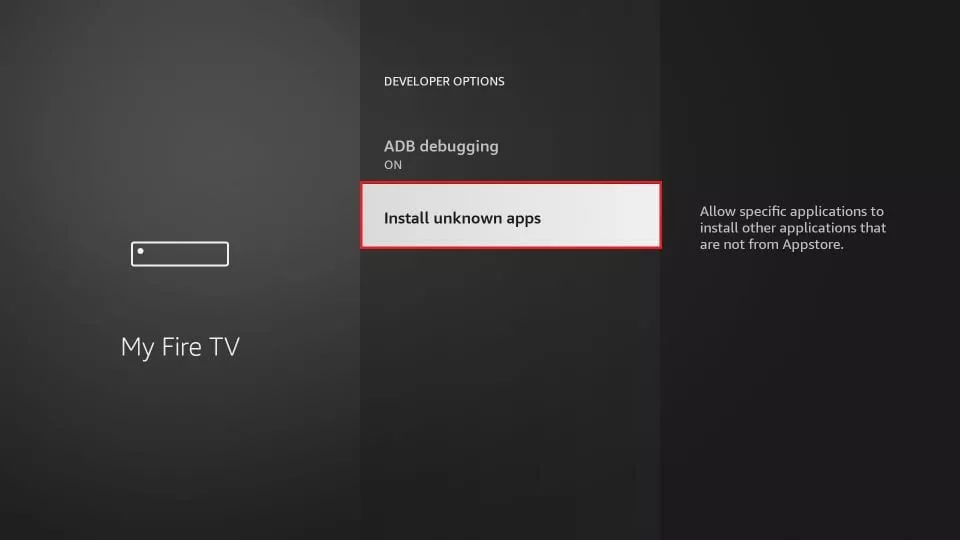
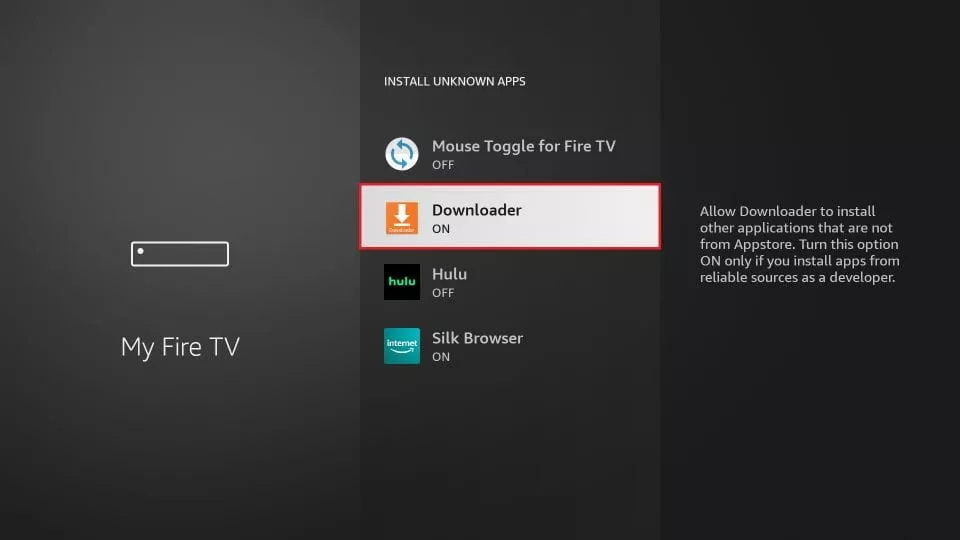
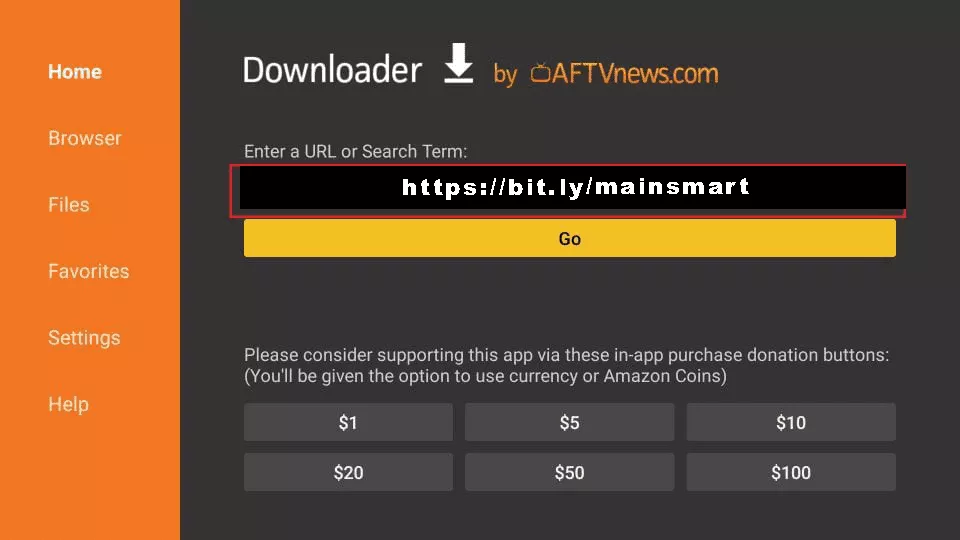
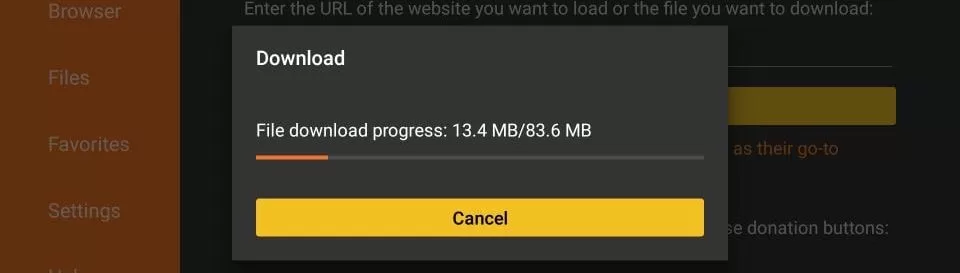
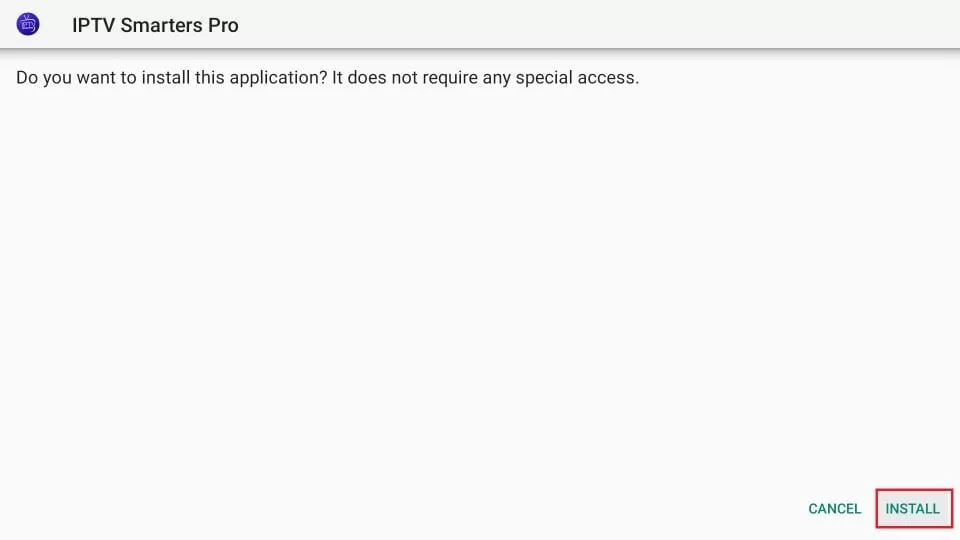
Tip: Only download IPTV apps from their official websites. Copies from unknown links can contain malware.
Hold the Home button on your remote, select Apps, and open IPTV Smarters Pro. To find it faster next time, highlight it, press the Options button (☰) and choose Move to front.
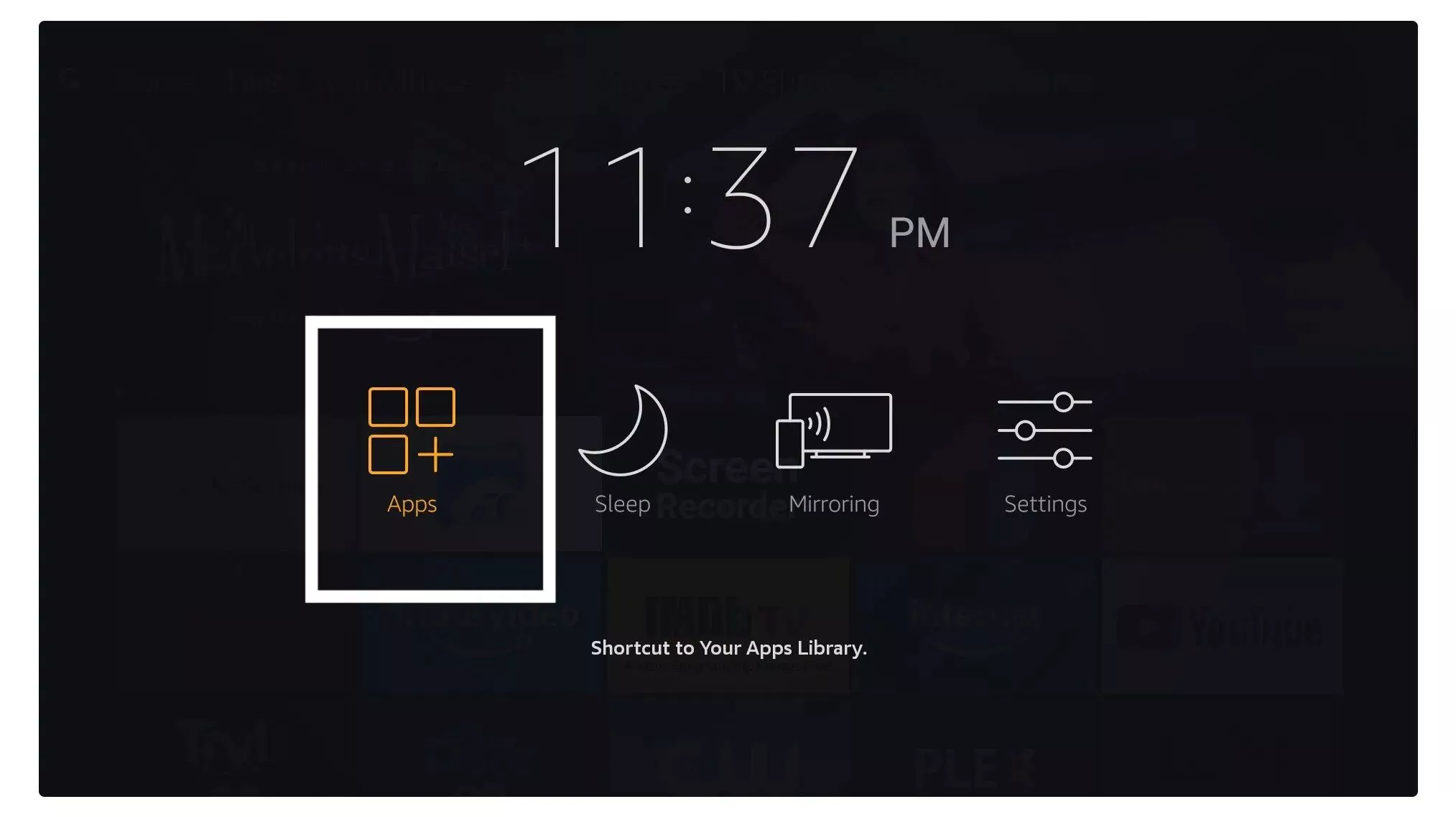
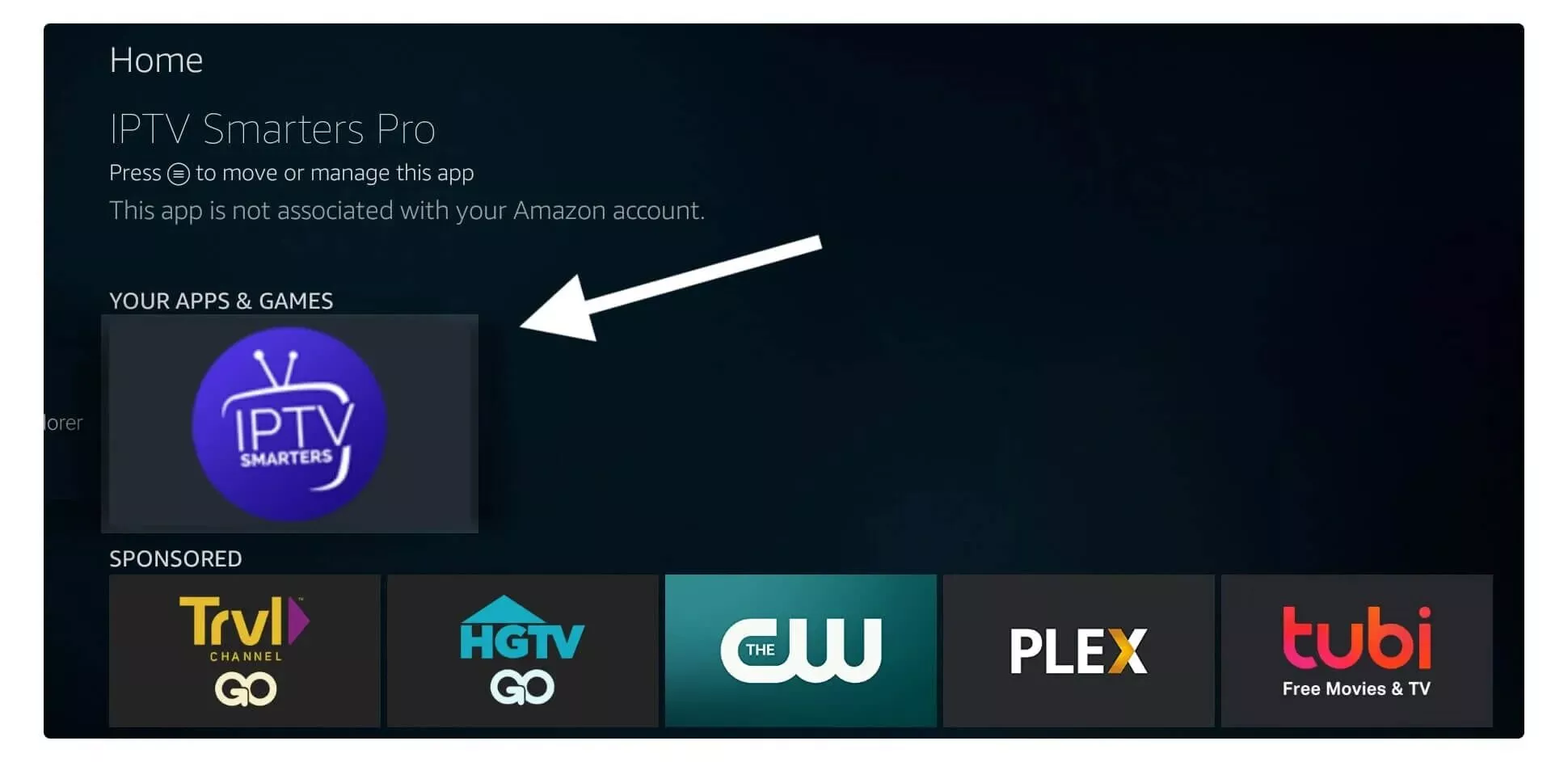
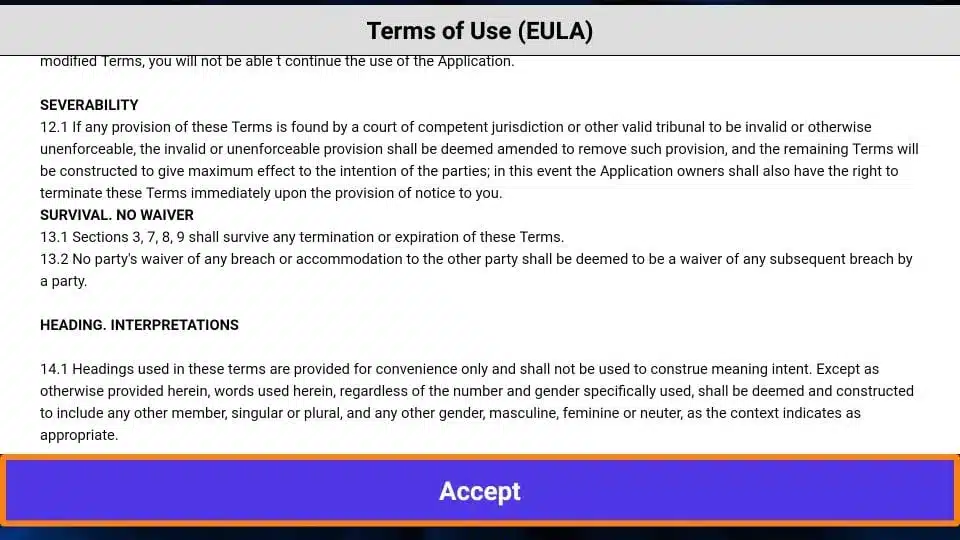
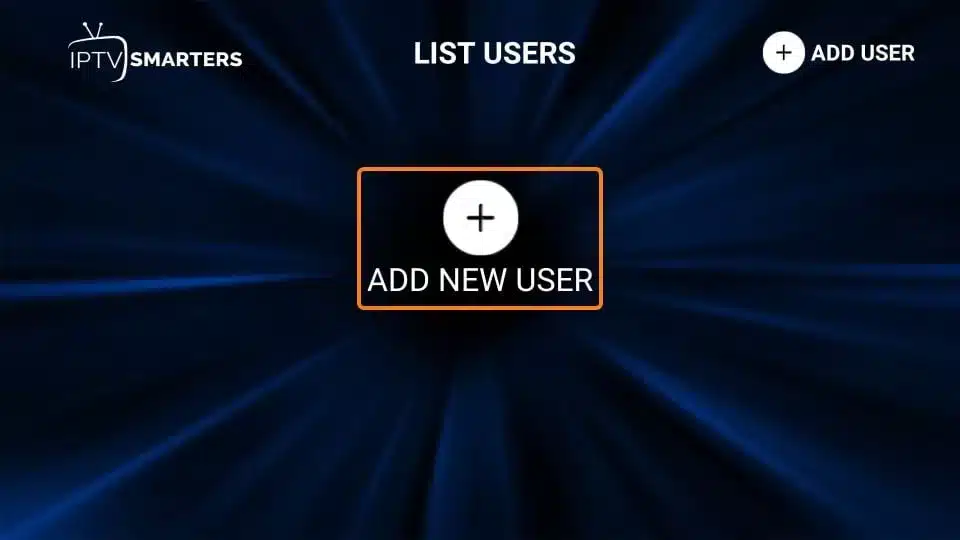
The first time you open it:
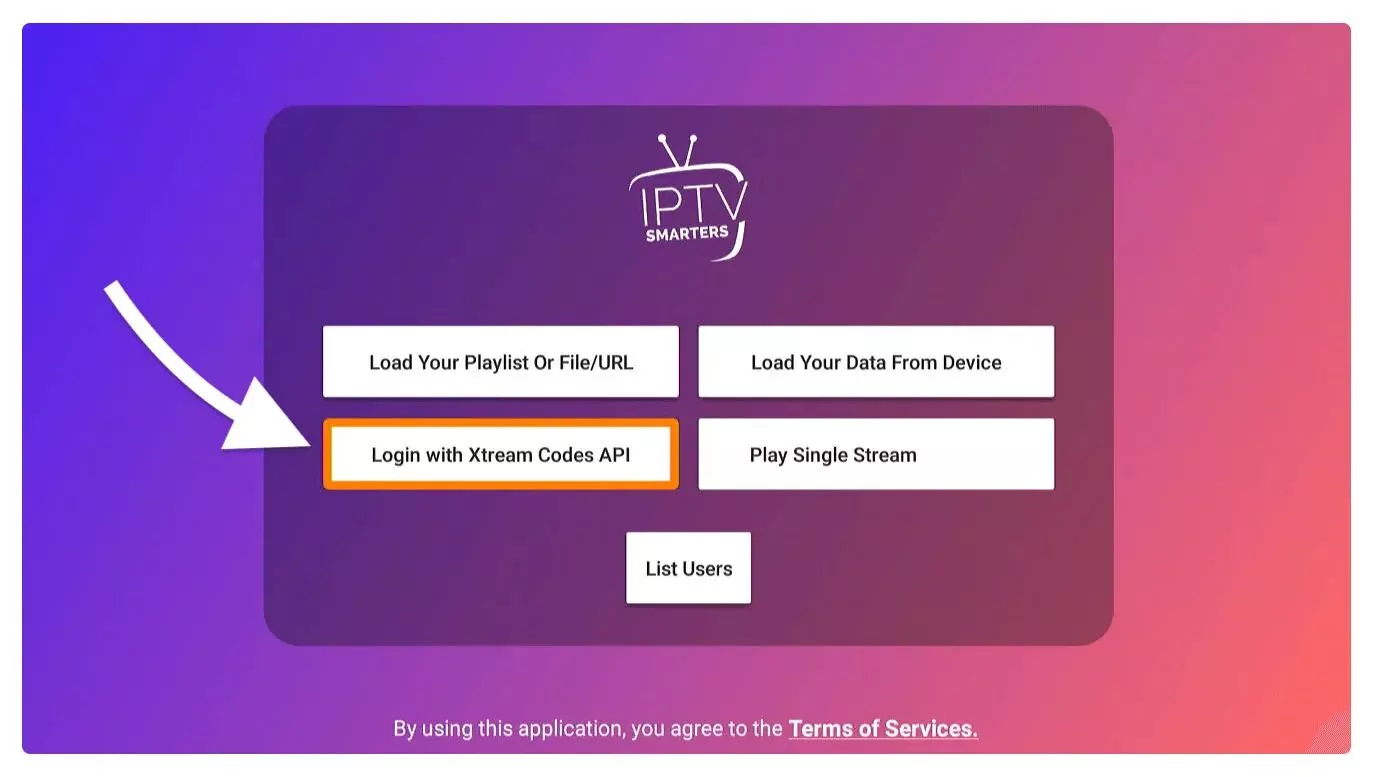
Choose Login with Xtream Codes API. It’s faster than an M3U playlist and loads the TV guide automatically.
Fill in:
http:// and the port number if one is given.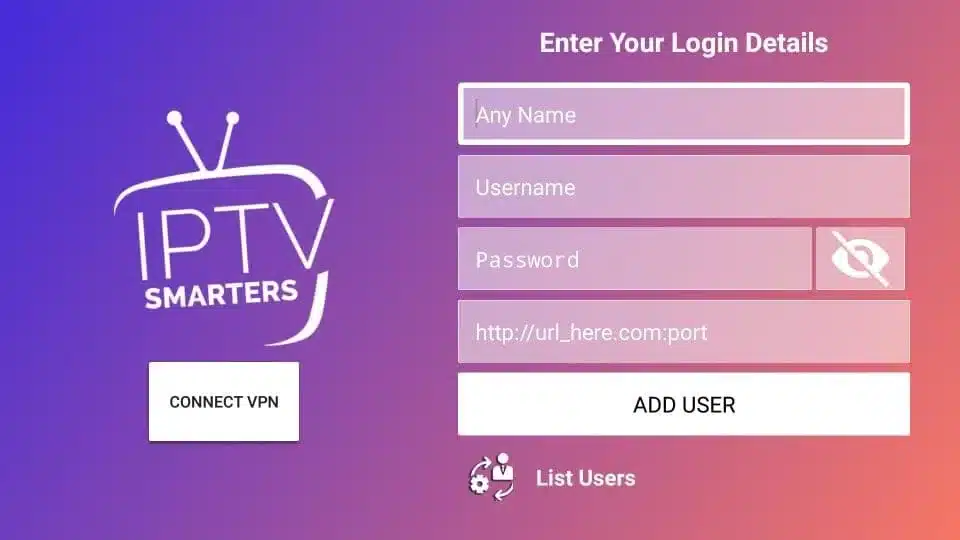
Select Add User. Only have an M3U link? Choose Load Your Playlist or File/URL instead and paste it.
Select your profile and wait while the app loads live channels, movies and series. This can take a minute the first time. Then choose Live TV, Movies or Series. Inside Live TV, the TV Guide shows what’s on now and next.
“Login failed” or “Invalid credentials”. Re-enter the details carefully: no spaces before or after, and the URL exactly as your provider sent it.
Buffering or freezing. Use 5 GHz Wi-Fi or an Ethernet adapter, close other apps, and restart the Fire Stick (Settings → My Fire TV → Restart). Our buffering guide covers more fixes.
TV guide is empty. In IPTV Smarters Pro, go to Settings → EPG and refresh, or log out and back in.
Firestick running slow or out of storage. Uninstall apps you don’t use, and clear the app cache under Settings → Applications → Manage Installed Applications.
The app is free, but you need an IPTV subscription for channels. If you choose IPTVSup, your login is emailed within minutes of payment, and you can ask us on WhatsApp for a free trial to test it on your Firestick first. See our plans or the setup guides for other devices.
Is it safe to install apps with Downloader?
Downloader itself is from the Amazon Appstore. The risk comes from what you download, so only use official links, like the IPTV Smarters link above.
Does this work on the Fire TV Stick 4K and 4K Max?
Yes. The steps are the same on every Fire TV Stick model and Fire TV Cube, except the Vega OS models mentioned above.
Should I use M3U or Xtream Codes?
Xtream Codes if your provider offers it: it’s quicker to enter and loads the TV guide automatically. M3U works too but may need a separate EPG link.
Is IPTV legal on Firestick?
Installing an IPTV player is legal. Whether a particular service is legal depends on whether it holds the rights to the content it streams and on the laws where you live.
Can I use the same login on my phone or TV too?
Yes, you can install the app on as many devices as you like. How many can stream at the same time depends on your plan’s number of connections.
About the author: Jena Bruis is part of the IPTVSup content team and writes our setup guides and explainers. Questions about this guide? Contact us.
Ready to start streaming?
25,000+ channels · HD & 4K · All devices · From $5/mo
View Plans →